
The platform

From the first quantity
to the final account.

Plan the work, manage the commercial detail and keep the site record connected — across one construction management platform.

Built for the full project workflow

More of the work.
In one place.

Choose the workflows that fit your organisation. Available modules and actions depend on your role, company type, project permissions and subscription.

Project planning

Give every project a clear starting point.

Set up the project, bring in the programme and keep the portfolio in view.

Project portfolio

Review projects in grid, list or map views, with status, progress, location and budgets.

Scheduling & Gantt

Plan tasks, dependencies, phases and milestones, with critical-path analysis.

Excel project import

Import project rows, review duplicate warnings and validation, then check the creation results.
Quantities & cost control

Connect the measurement to the money.

Bring quantities, rate build-ups and budgets into the commercial workflow.

BOQs & libraries

Build structured bills and work with description, measurement and rate libraries.

Drawing take-off

Calibrate a PDF drawing, measure lengths, areas or counts, and push quantities to a draft BOQ.

Budgeting & costing

Review budgeted, committed and spent amounts, rate build-ups and cost variances.

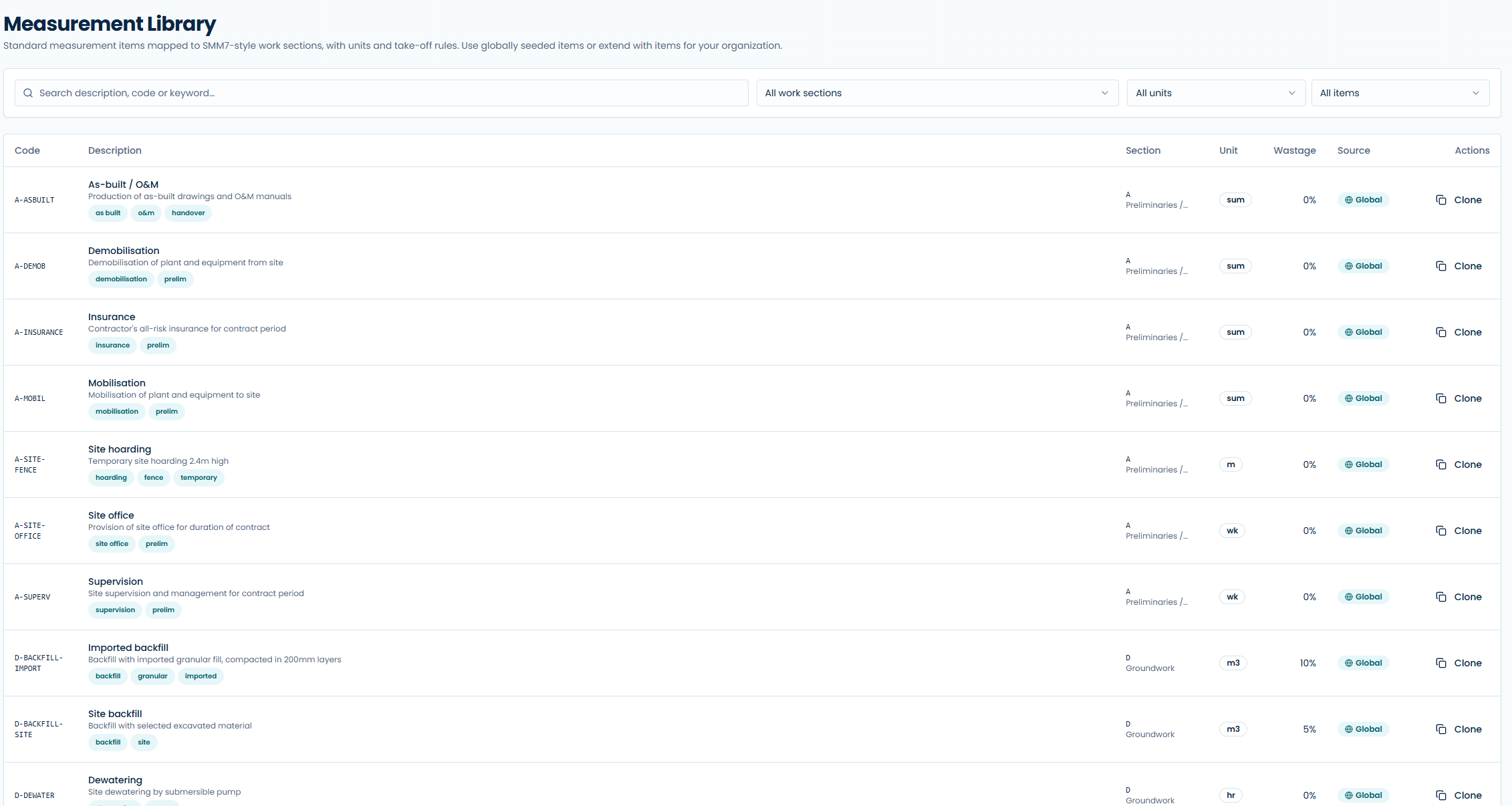
EXVIOPRO / MEASUREMENT LIBRARYAPPLICATION SCREEN
ExvioPro measurement library showing standard measurement items, work sections, units and take-off rules
Standard measurement items, work sections and units in the application. View full-size screenshot ↗

Procurement & contracts

Keep commitments connected to the project.

Follow suppliers, purchasing and contract administration through the build.

Procurement & purchase orders

Manage material requisitions, approval stages, purchase orders and deliveries.

Vendors & subcontractors

Keep supplier and subcontractor records linked to the work they support.

Contracts & valuations

Manage contract records, variations, retentions and Interim Payment Certificates.

Site operations

Turn the working day into a useful record.

Capture daily activity and follow up on the details that matter on site.

Site diary

Record weather, working hours, activities, issues and photos. Check missing entries in the seven-day tracker.

RFIs & submittals

Assign questions and reviews, follow their status and keep responses with the project.

Safety & closeout

Document incidents and inspections, assign corrective actions and track punch-list items.

Drawings & collaboration

Keep the information behind the work.

Give the team a clearer record of drawings, documents and decisions.

Drawings & documents

Track revisions, reviews and project files with access permissions.

Meetings & correspondence

Record minutes, decisions, action items and project communications.

BIM viewing

Explore IFC models in the browser and inspect element properties.

Reporting & oversight

Give each stakeholder the right view.

Bring project information together for the people reviewing progress and performance.

Progress reports & exports

Prepare periodic reports with supporting attachments and available PDF or Excel exports.

Scheduled reports & analytics

Set up recurring reports and review cross-project performance information.

Roles & client visibility

Use organisation roles, project permissions and configurable client-portal access.

Built around your organisation

Contractor, consultant
or client.

A workspace that reflects your role

Contractors manage project delivery and commercial workflows. Consultants and supervisors focus on oversight, reviews and certification. Clients can receive a configurable read-only view of their projects.

Connectivity, without the guesswork

An internet connection is required to reliably load the app and use online services. Supported local queues and device-saved recording drafts are separate from offline page loading. Check save and sync status, and reconnect to complete uploads and synchronisation.

AI-assisted summaries

Create AI-assisted diary and report summaries to help review recorded information. Availability depends on your access and subscription; review generated text before sharing it.

See the workflows that matter to you

Bring a real question
to your demo.

Ask us to show a project setup, a measured quantity flowing into a BOQ, a daily site record, or a valuation review. We’ll focus the walkthrough on your team’s needs.

Arrange a walkthrough

Your next project

Build forward.
Every time.

Give your team one place for the work,
the numbers and the record.